The crown jewel of Saral Vetan is the automated payroll processing engine. It seamlessly merges data from the Attendance, Shifts, and Leave modules to generate a perfect salary structure for every employee.
1. Initiating the Calculation
At the end of the month, simply select the target month and click "Process Payroll".
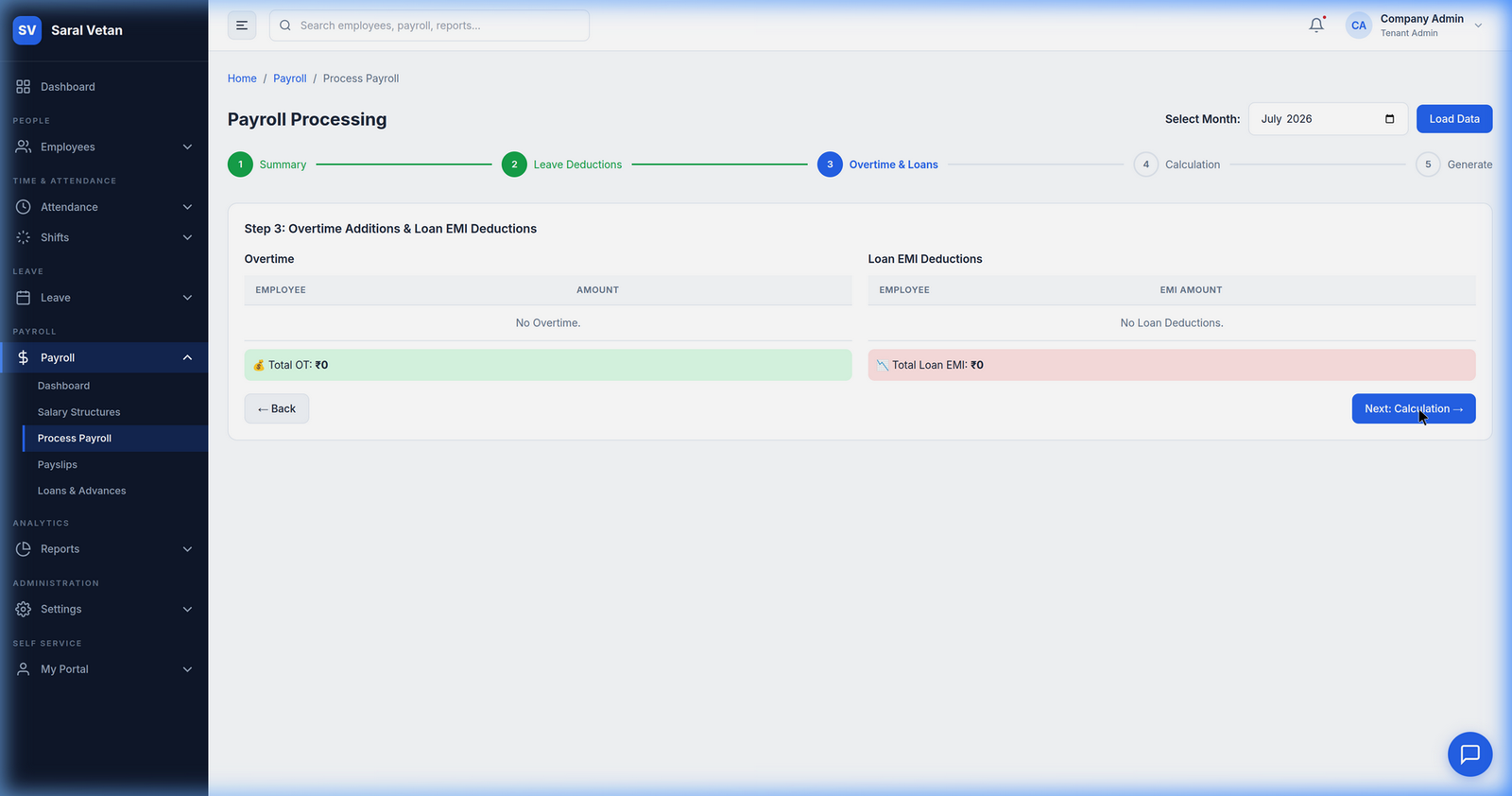
What happens in the background?
- The system checks the employee's assigned Salary Structure (Basic, HRA, Allowances).
- It cross-references their Monthly Attendance to calculate Loss of Pay (LWP) days.
- It factors in approved Overtime Rules.
- It applies mandatory deductions like Provident Fund (PF), ESIC, and Tax Deducted at Source (TDS).
2. Finalizing the Run
Once the calculation is complete, you will be presented with a high-level summary of the total payout required.
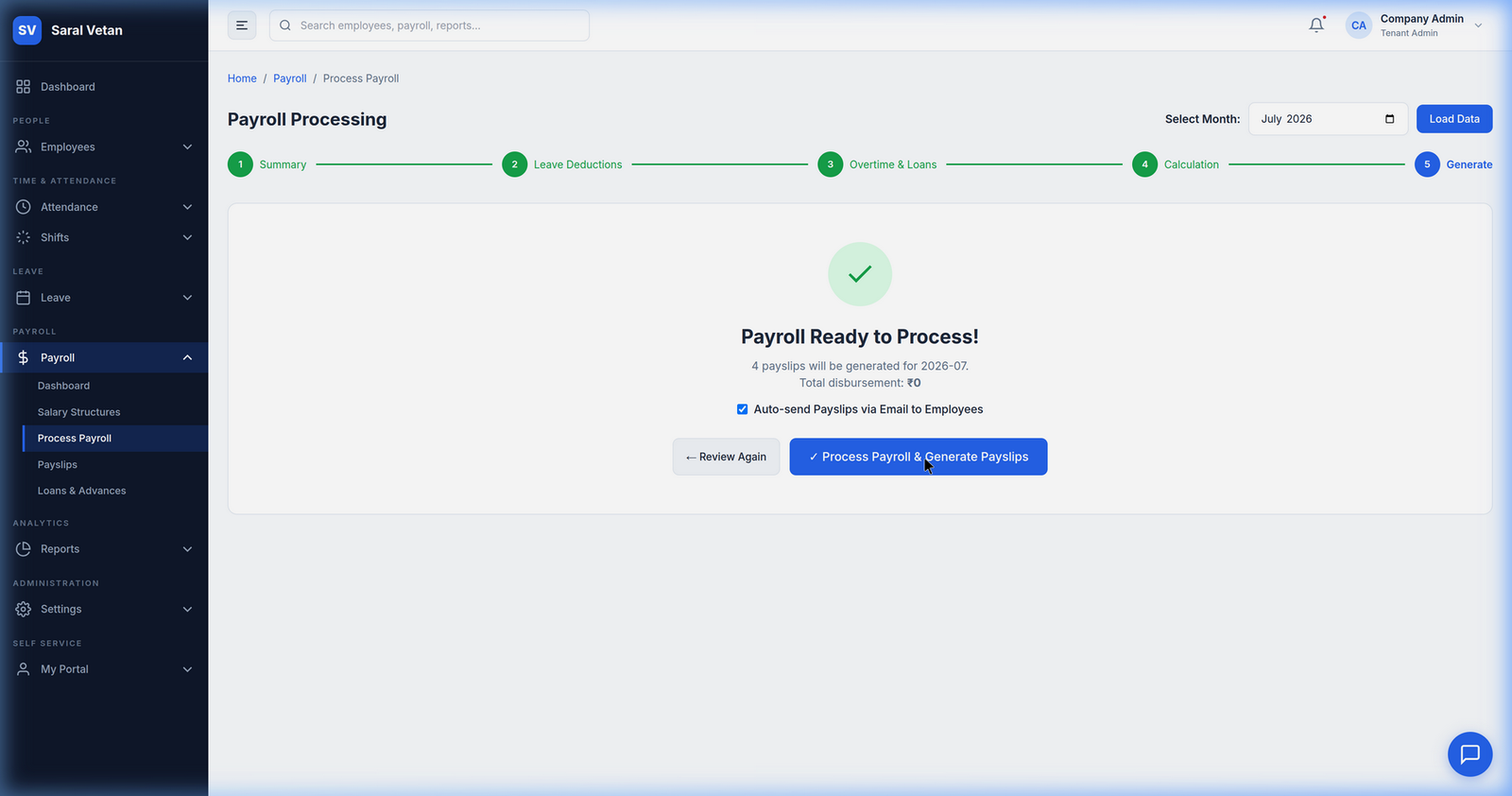
You can download the Bank Transfer file instantly and upload it directly to your corporate banking portal to disburse the salaries.
3. Generating Payslips
The final step is distributing the payslips. Rather than printing physical copies or emailing them individually, the system automatically generates cryptographically signed PDFs and pushes them to the Employee Self-Service portal.
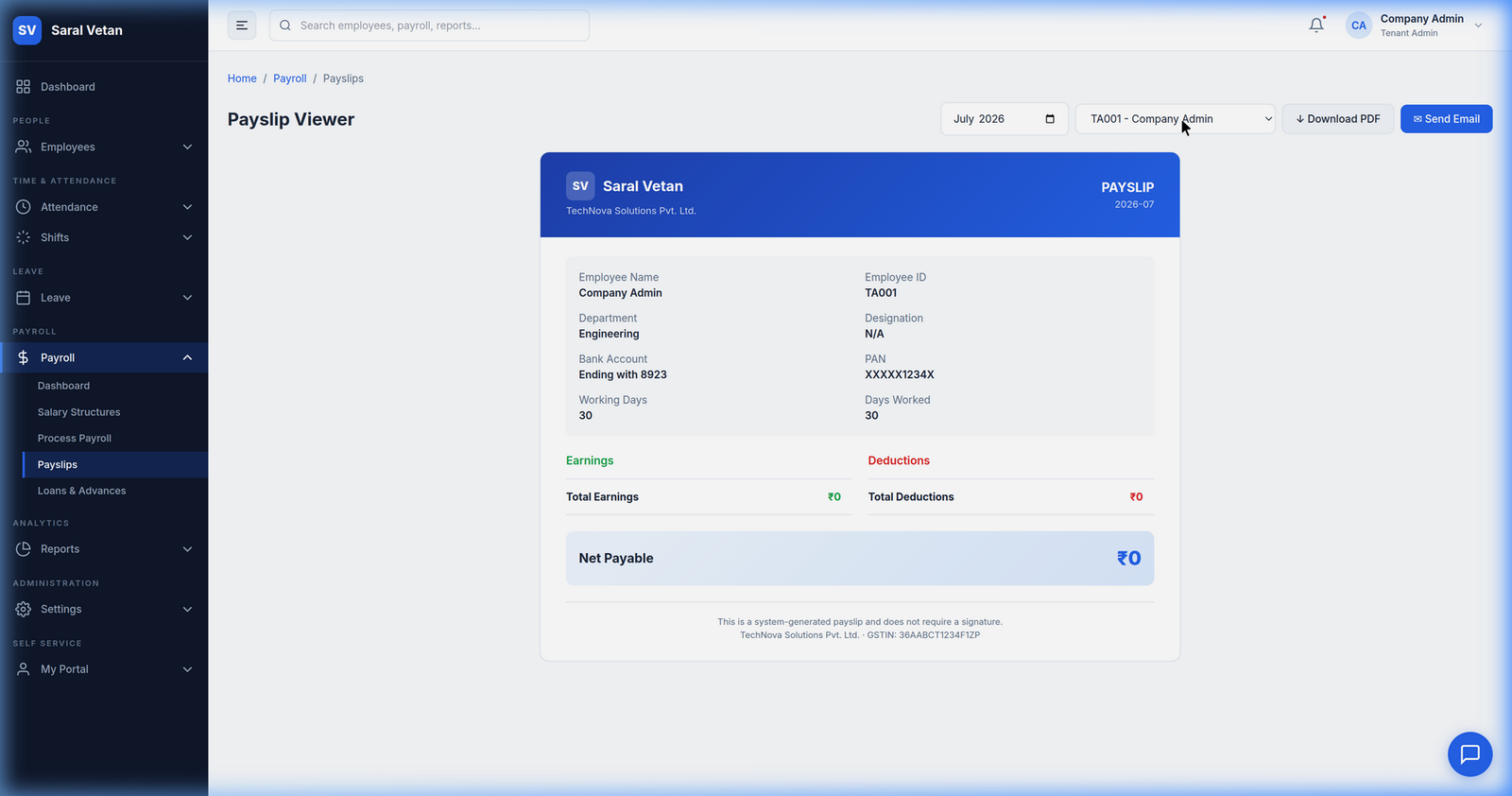
💡 Tip: Employees will receive a push notification on their mobile app the second you finalize the payroll, letting them know their payslip is ready to view!