Manual overtime calculation is a nightmare for payroll departments. With Saral Vetan, overtime is automatically calculated by comparing an employee's Shift Schedule against their actual punch-in and punch-out logs.
1. Accessing Overtime Policies
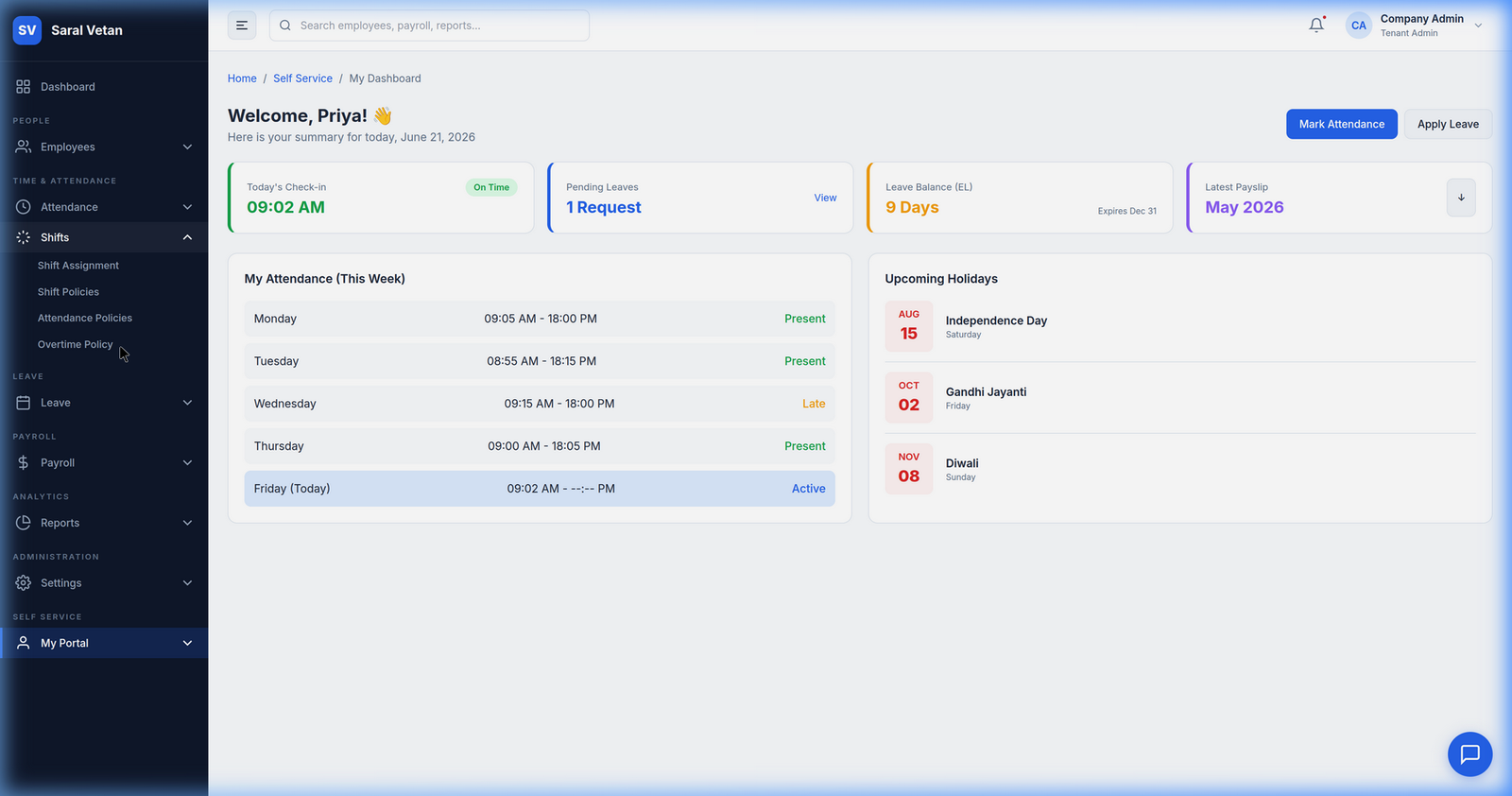
Navigate using the sidebar to find the dedicated Overtime Policy settings under the Shifts module.
2. The Rule Builder Modal
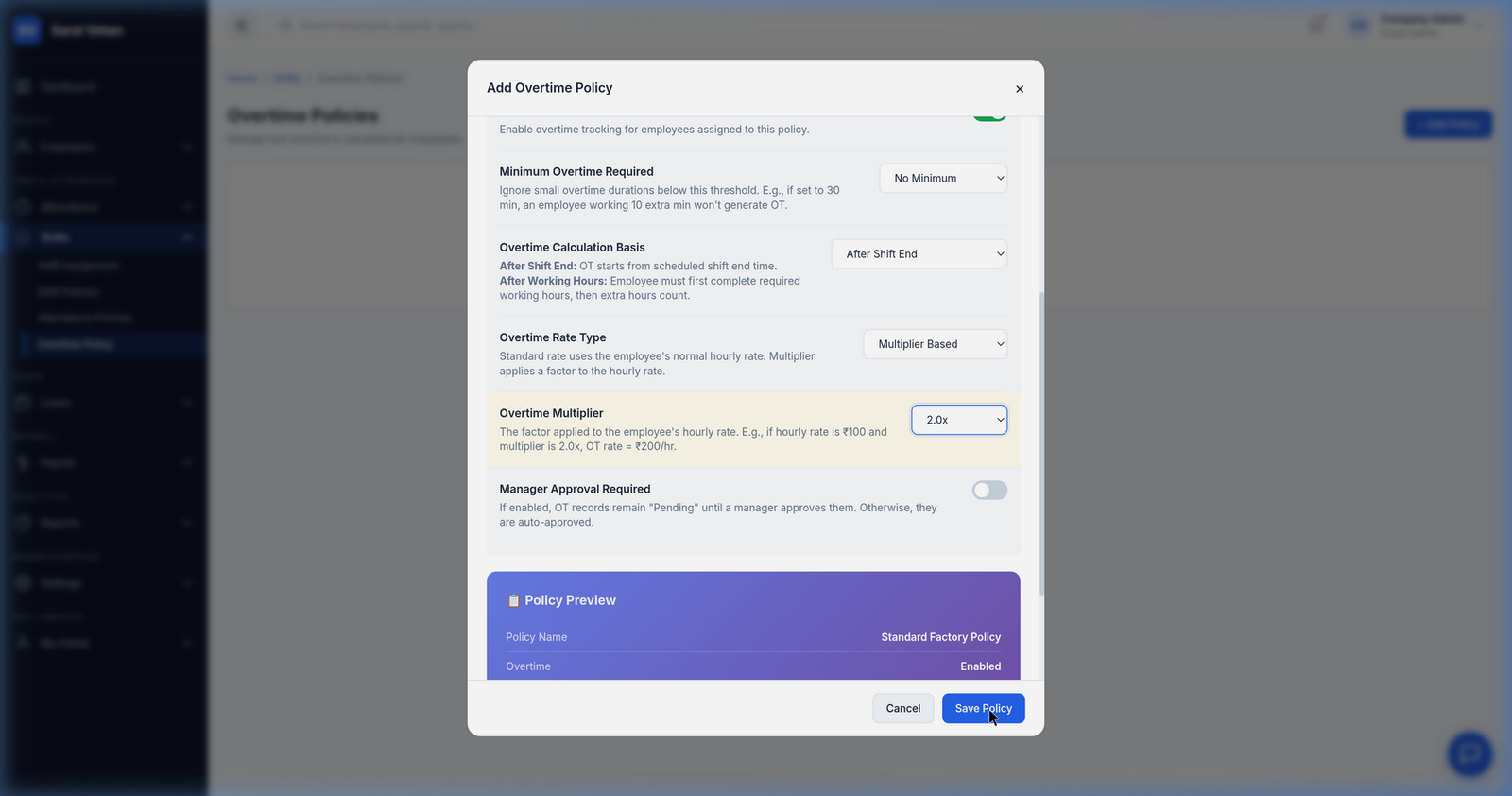
We've created an intuitive, natural language rule builder. Instead of coding complex logic, you simply fill in the blanks in a sentence.
How to Build a Rule
- Click "Add Overtime Rule".
- Set the threshold: "If an employee works more than X minutes beyond their shift end time..."
- Set the compensation rate: "...pay them at Y times their standard hourly rate." (e.g., 1.5x or 2.0x for weekends).
- Assign the rule globally or restrict it to specific departments (like factory workers).
3. Multi-Select Dropdowns
Applying policies to a massive workforce is easy with our bulk assignment dropdowns.
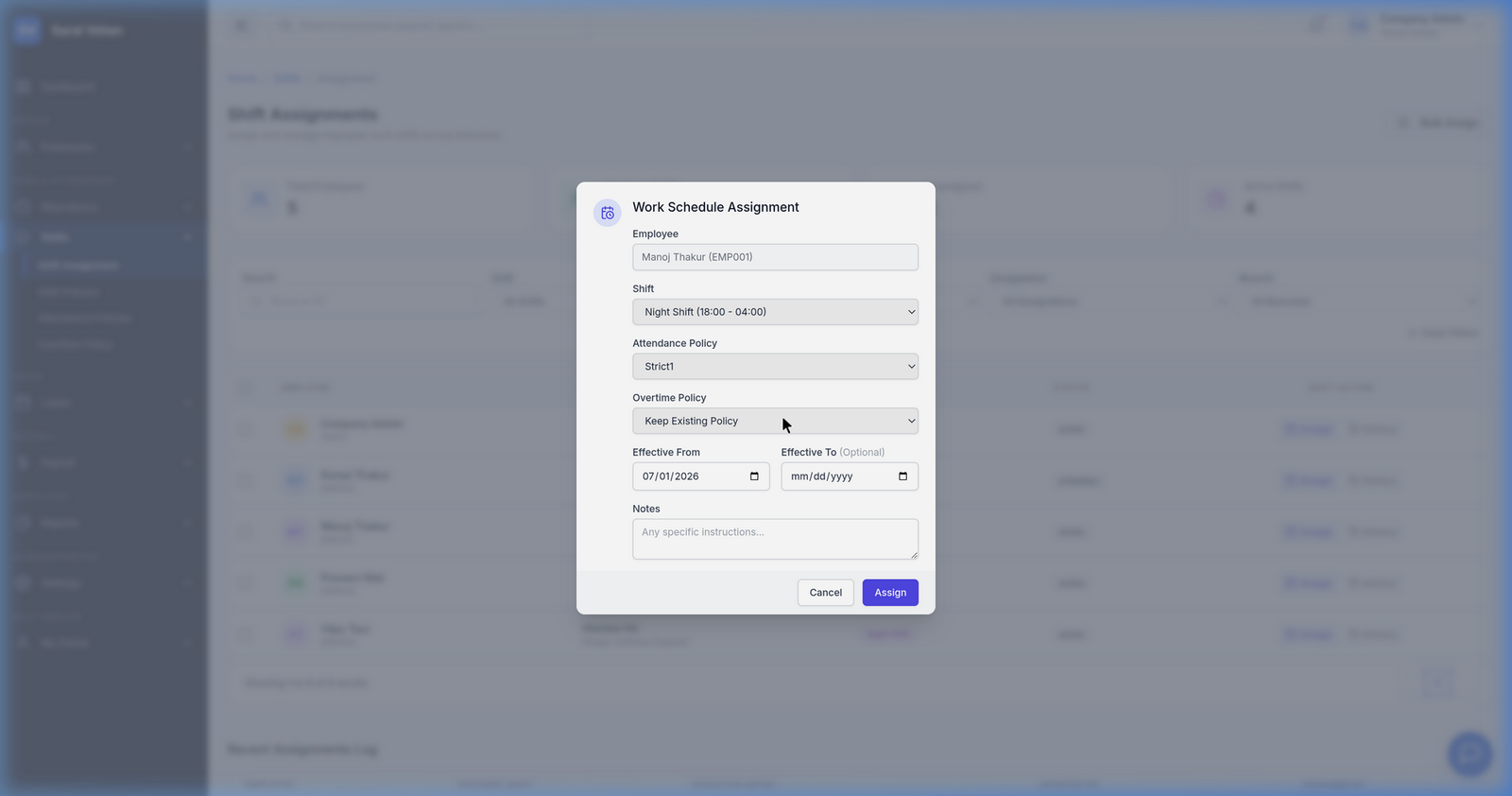
Once assigned, the payroll engine will automatically pull these rules during the monthly cycle, ensuring every extra minute worked is fairly compensated without any manual math.
💡 Tip: You can set a "Minimum OT threshold" of 30 minutes to prevent employees from claiming overtime for just staying 5 minutes late!